

Make a One-Time Payment
If you see a message stating you cannot make online payments, please contact your property manager as this is a service they can choose to offer their tenants.
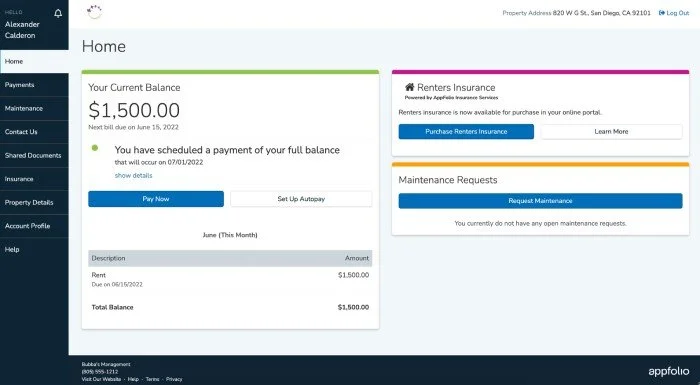
On the Home or Payments tab, click Pay Now to make a one-time payment.
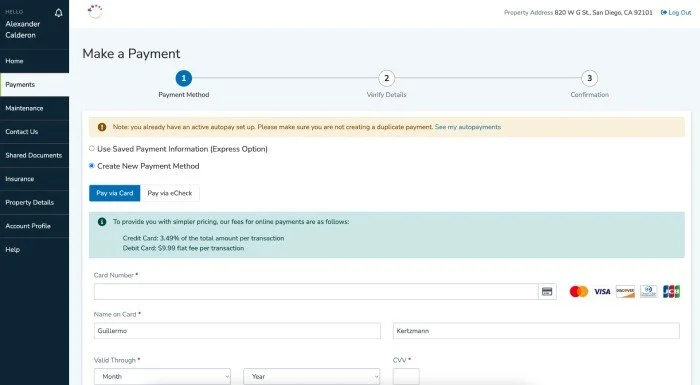
If you have saved payment methods those will be displayed, or you can Create a New Payment Method.
Select your preferred payment method: eCheck (direct withdrawal from bank account), or Credit/debit card (Apple Pay or direct). You can then enter the associated payment information and click Continue.
Next, choose to make your payment in full or to edit the amount. If online payments are required to be made in full, the payment amount will not be editable, and you will have the option of paying either the Balance Due, which includes past and current bills, or the Full Balance, which includes past, current, and any upcoming bills, including unposted, recurring bills.
Review the Payment Date and Payment Balance information for accuracy. A transaction fee will also be displayed.
Once you have verified all your payment information, click Make This Payment Now. You will receive a confirmation email once the payment is successfully submitted. The payment may take a few days to process and clear your account. If you didn’t receive a confirmation email your payment may not have been received, please reach out to your property manager.
Set Up an Auto Payment
If you see a message stating you cannot make online payments, please contact your property manager as this is a service they can choose to offer their residents.
On the Home or Payments tab, click Set Up Autopay to create an automatically recurring payment
If you have saved payment methods those will be displayed, or you can Create a New Payment Method.
Select your preferred payment method: eCheck (direct withdrawal from bank account), or Credit/debit card (Apple Pay or direct). You can then enter the associated payment information and click Continue.
Give the payment a name, select whether you want to pay a fixed amount or your outstanding balance, choose the payment start date.
If you choose to pay an outstanding balance, you will also notice a field for maximum limit. You may proceed with the suggested amount or choose a new one.
Click Create Autopay. You will receive a confirmation email when your payment processes. You can review your autopay details on the Payments tab of your Online Portal.
Online Payments Through AppFolio
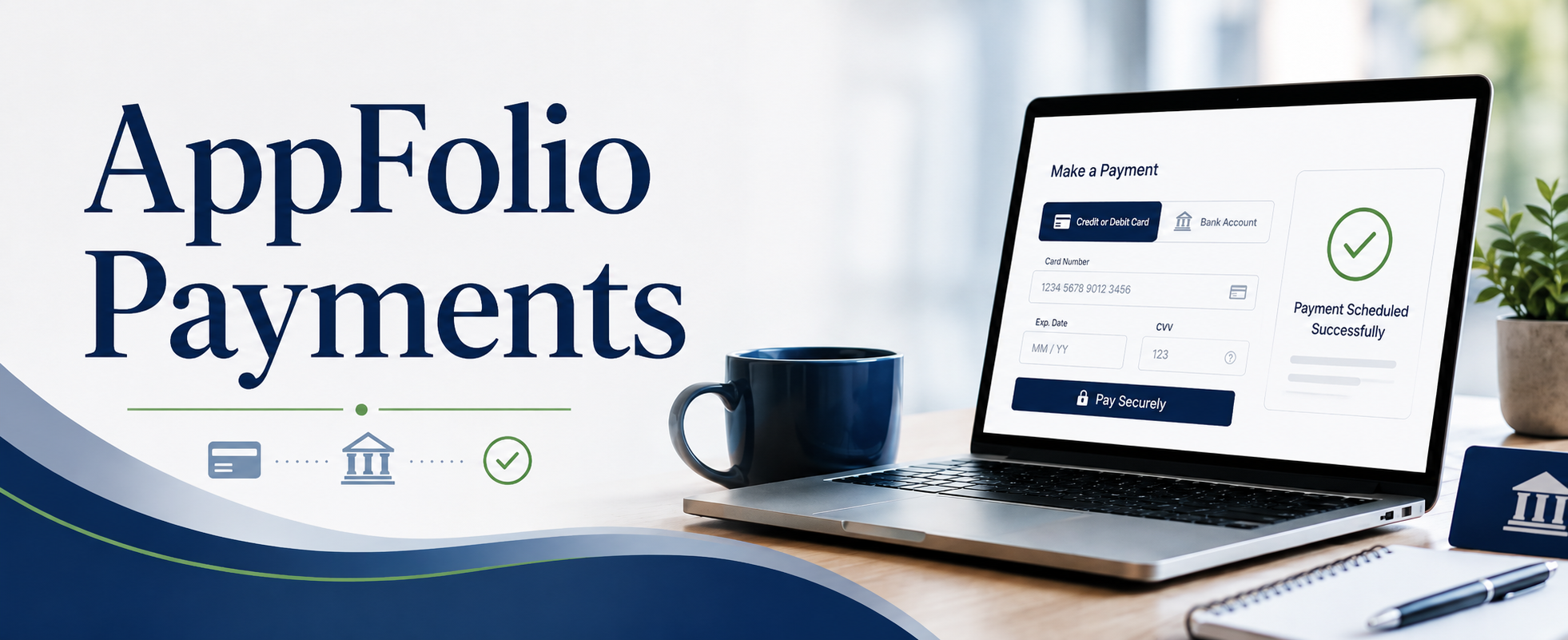
Homeowners may use AppFolio to make online payments for association assessments and other property-related charges. Through the AppFolio homeowner portal, homeowners can make payments electronically using a debit card, credit card, or eCheck/ACH.
To make a payment, you will need access to your AppFolio homeowner portal account. Payment access and account details are typically provided through your welcome letter or account setup email. Please have your bank routing number and account number, or your debit card or credit card number, expiration date, CVV, and billing ZIP code ready before beginning the payment process.
What Homeowners Can Do in AppFolio
Using AppFolio, homeowners may be able to:
Pay association assessments online
View current account balances
Review payment history
Set up electronic payments, if available
Access account information through the homeowner portal
Payment Fees
AppFolio fees apply to online payment transactions as follows:
Debit card transaction: $9.99 flat fee
Credit card transaction: 2.99% of the transaction amount
eCheck/ACH transaction: $2.49 flat fee
There is no discounted payment fee for creating or using an AppFolio account. The same transaction fees apply whether the homeowner has portal access or is making payments through the available AppFolio payment process.
These fees are charged by the payment processor and are subject to change without notice. Homeowners should review the payment details shown in AppFolio before submitting any payment.
Important Note
Unlike some payment platforms, AppFolio does not currently offer a reduced or waived eCheck/ACH fee for homeowners who create an account. Homeowners should review all available payment options and associated fees before choosing a payment method.